

See Everything Inside an ICC Profile - For Free
Color management succeeds -or fails- based on what hides inside an ICC profile. A tone curve that quietly clips your highlights, a CLUT that steamrolls your neutrals, an adaptation matrix that nudges your white point into the uncanny valley… These issues stay invisible until the moment they ruin your day.
Little CMS Insighter is the tool that reveals all of it, and it is completely free. Download Now
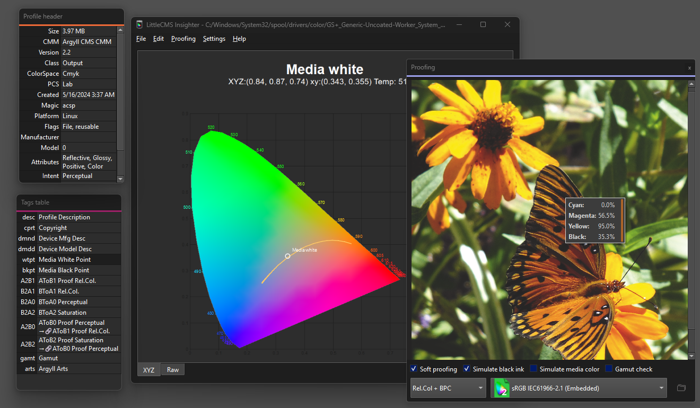
Built on Little CMS and Qt 6, Insighter exposes every tag, every pipeline stage, and every number that shapes a profile’s behavior. It turns opaque binary data into something you can actually read and reason about.
- No raw hex guessing.
- No spec-hunting.
- Just open a profile and start exploring.
Whether you’re a color scientist chasing numerical precision, a profile author validating output, a developer debugging a tricky pipeline, or simply curious about what your camera or monitor profile is really doing, Insighter gives you the clarity you’ve been missing.
Core Features
-
ICC Header
Device class, color space, PCS, rendering intent, creator, timestamp, and MD5 profile ID, all shown instantly when a profile loads. -
Tag Table
Click any entry to reveal its contents. Related tags are highlighted in matching colors, and shared-storage tags are flagged with link indicators. -
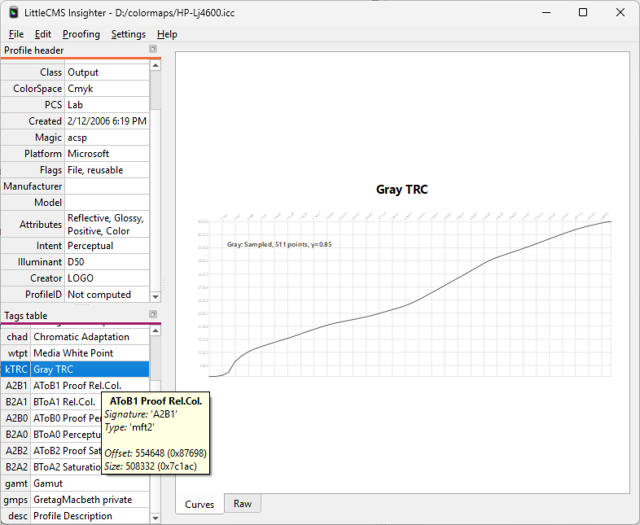
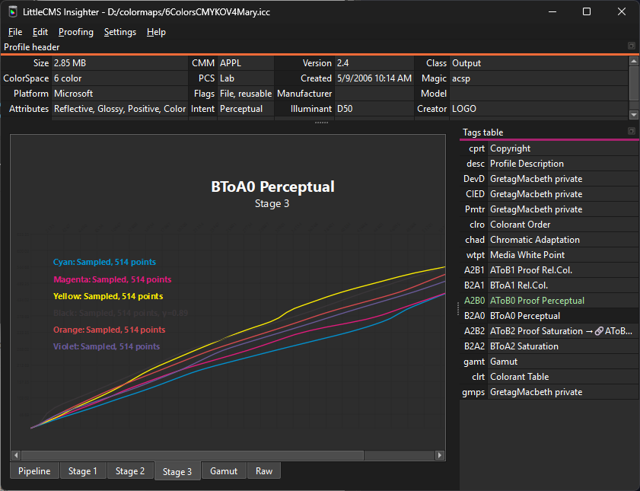
Tone Curves
Each channel plotted as a smooth, zoomable graph. Parametric formulas and parameters appear as tooltips for quick inspection. -
Matrices
Chromatic adaptation and shaper-matrix values displayed in clean bracket notation, exactly as stored. -
CLUTs
Multi-dimensional lookup tables rendered as an interactive 2D color plane. Fix any dimension and browse freely. -
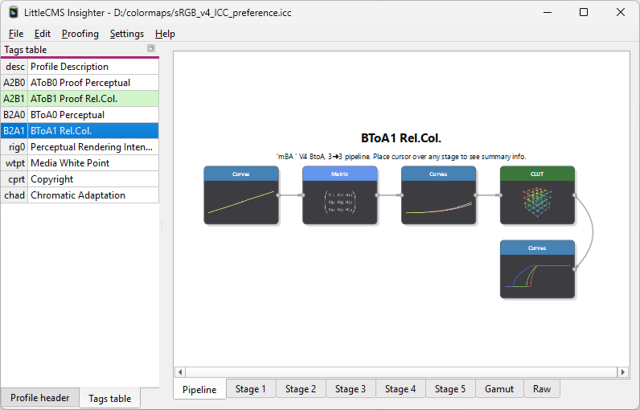
Pipeline Diagram
AToB, BToA, DToB, and BToD tags shown as a visual stage-by-stage diagram. Click any node to jump directly to that stage. -
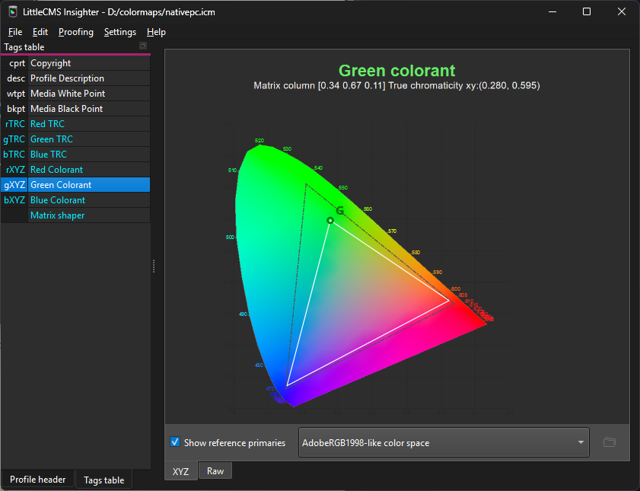
Chromaticity Diagram
Primaries and media white point plotted on the CIE 1931 diagram, complete with spectral locus and primaries triangle. -
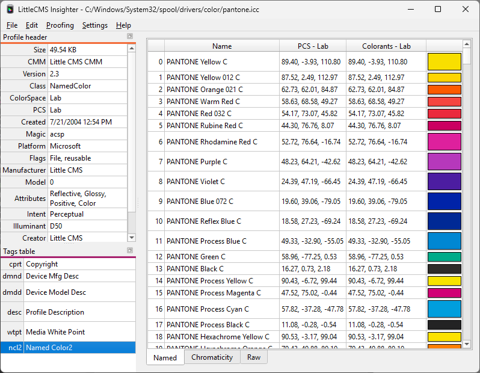
Named Colors
A clean table with index, name, PCS values, device values, and a live color swatch. -
Hex Viewer
Raw offset, hex, and ASCII columns for every tag. Enable it once in Preferences and forget about it until you need it.
📘 Read the manual
Named Color Support
Insighter fully decodes named color lists and presents them as a readable, trustworthy table.
Each entry shows:
- index
- original color name
- PCS coordinates
- device-space values
- a live color swatch
The current display monitor is used to render swatches with high accuracy.
Enhanced Mode — More When You Already Have It
Insighter is fully featured at no cost. No catch.
But if you already use any of the LittleCMS desktop products below, two additional tools unlock automatically. No configuration, no license keys, Insighter detects the installed product and enables the extras silently.
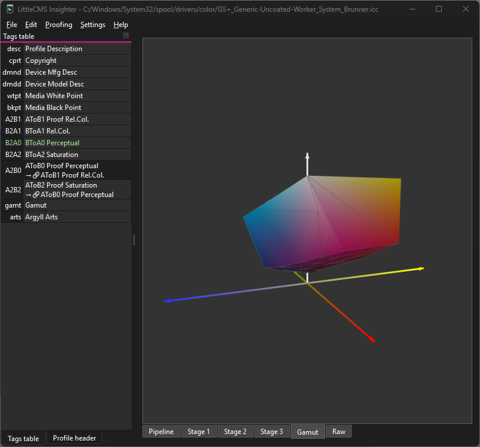
3D Gamut Hull
Explore the full color gamut of any RGB or ink-based profile as an interactive three-dimensional convex hull in CIE Lab space.
Each vertex is colored using its Lab-derived sRGB approximation, giving you an intuitive sense of shape, volume, and richness.
Rotate, zoom, and export the geometry to VRML for use in any 3D application.
Soft Proofing
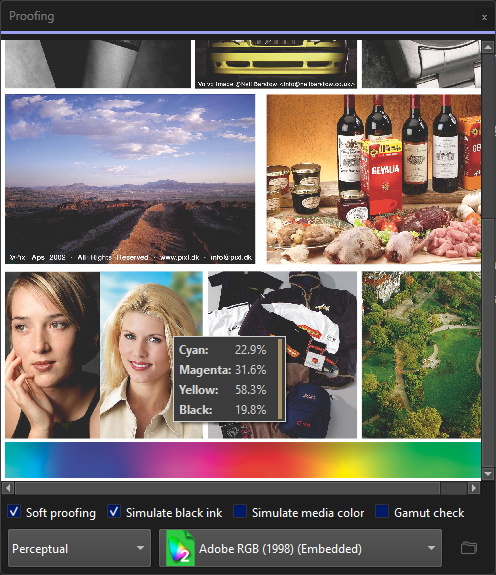
Load a PNG, JPEG, or BMP and preview exactly how it will look when reproduced through the loaded profile — live, on your monitor.
Switch rendering intents, enable black-ink or media-color simulation, turn on gamut-check highlighting, and hover for pixel-level readouts.
Products That Unlock Enhanced Mode
| LittleCMS Product | Unlocks Enhanced Mode |
|---|---|
| LittleCMS Translator | ✔ |
| LittleCMS Translator MINI | ✔ |
| LittleCMS Abstractor | ✔ |
| LittleCMS Monitor ICC Tweaker | ✔ |
Only one needs to be installed and registered on the same computer. Insighter checks automatically at startup.
Download Insighter for Free
 Color insighter in Microsoft Store |
|
 Insighter for macOS |
 Insighter for Windows 10/11 |