

By Marti Maria | March 20, 2026
I have been writing color management code for a long time. One frustration that never went away: ICC profiles are opaque by default. You know something is off — a highlight clips, a neutral drifts — but actually reading the profile requires either a hex editor or enough patience to parse the spec by hand.
So at some point I just built a viewer. That became Insighter.
What is actually inside a profile
An ICC profile is a binary file structured around a tag table. Each tag has a four-character signature, an offset, and a size. The contents vary wildly — a curv tag holds a tone curve, a XYZ tag holds a three-component tristimulus value, an mft2 or mAB tag holds a full multi-dimensional processing pipeline.
The tricky ones are the pipeline tags — AToB0, BToA1, DToB2 and their relatives. Internally they chain multiple stages: a set of one-dimensional curves, then a matrix, then a CLUT, then more curves. The ICC spec calls this a processing element sequence. In practice it means a single tag can encode surprisingly complex behaviour, and none of it is visible unless you decode every stage individually.
That is what Insighter does. It walks the pipeline and renders each stage as a node in a diagram. Click any node and it expands to show the actual data — curve plots, matrix values in bracket notation, or the CLUT rendered as an interactive 2D color plane with the remaining dimensions clamped to sliders.
The parts that surprised people
Two features that were not in the original plan but turned out to be the most used:
Shared-storage detection. The ICC spec allows multiple tags to point to the same offset — two tag signatures that alias the same data. Insighter flags these with link indicators in the tag table. It sounds obscure until you are debugging a profile where editing one tag silently changes another.
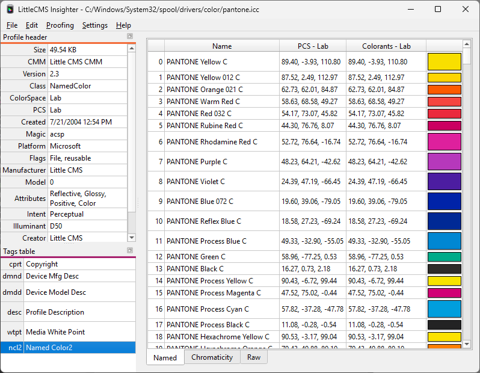
Named color tables. A ncl2 tag stores a list of named colors with PCS coordinates and optionally device values. Insighter renders these as a scrollable table with a live color swatch per entry, drawn through the current display profile. Useful for checking PANTONE or spot-color profiles before they go to press.
Enhanced features for existing LittleCMS users
If you already have Translator, Abstractor, or the Monitor ICC Tweaker installed and registered, Insighter enables two extras at startup — no configuration needed.
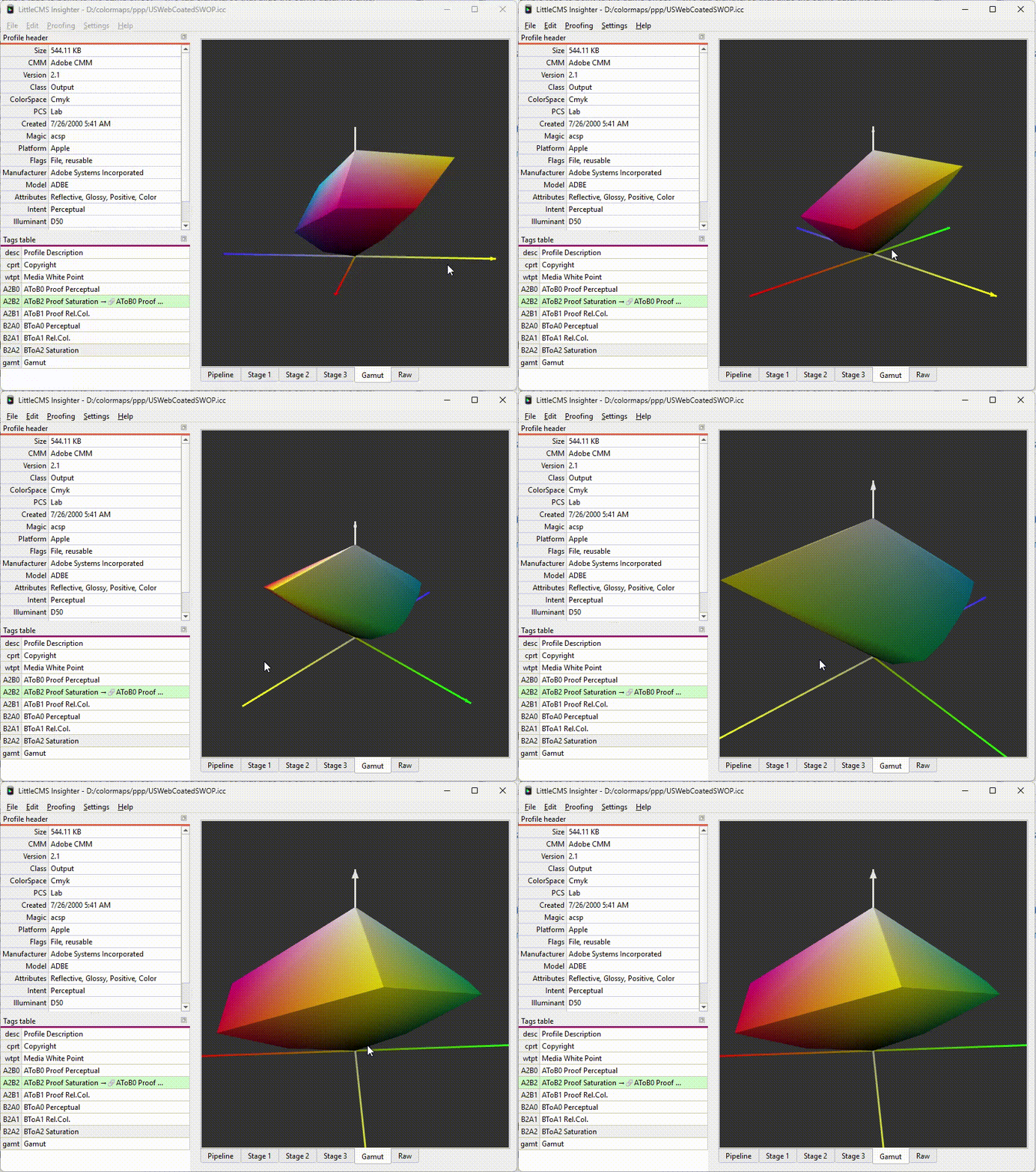
The first is a 3D gamut hull: it samples the profile in RGB space, builds a convex hull in CIE Lab, and renders it interactively. I described the underlying machinery in an earlier post about gamut visualization. Here it is just a menu item.
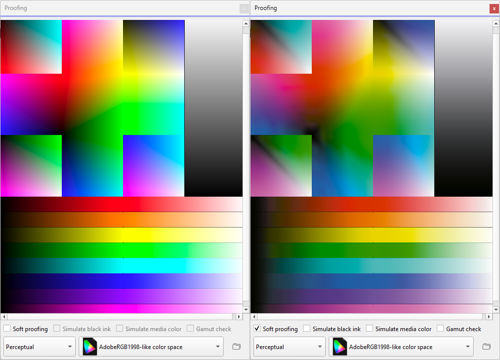
The second is a soft proof view: load an image, pick an intent, enable gamut-check highlighting, hover for pixel-level Lab readouts.
Insighter is free. Grab it at the Insighter page.
Bugs and suggestions to info {at} littlecms {dot} com.